
HOW IT WORKS
Build. Publish. Share. Create your page in minutes with our drag-and-drop editor. Publish it instantly on your own subdomain, like yourname.myrigel.com. Your projects are stored securely in the cloud and can be updated anytime. Choose a subscription, publish your work, and share it with the world.
OPEN EDITORServices
Build Your Page Visually
Create and customize your website directly on the screen. Add categories, links, animated text, social icons, backgrounds and ready-made content blocks without touching any code. Every change is displayed instantly, so you can see exactly how your page will look on a mobile device. Simple controls. Live preview. Complete creative freedom.
Accordion Sections
Build portfolios, restaurant menus, digital business cards, online stores, product catalogs, event pages, and more.
Customize Every Detail
Change backgrounds, colors, fonts, animations, icons, videos, galleries, maps, buttons, and layouts to match your style.
Publish in Seconds
Every project gets its own personal address like: yourname.myrigel.com Share it instantly anywhere.
Cloud Storage
All your projects are stored securely in the cloud. Access, edit, and publish them anytime from any device. Pay only while your project is online. Fast activation, secure payments, and easy renewal.
Instructions
You don’t need any programming skills to create a website.
Instructions are provided with each image. Click on an image to view them.

MyRigel Editor is simple and easy to use. No coding skills are required — choose the blocks you need, customize the content, and build your website in just a few steps.
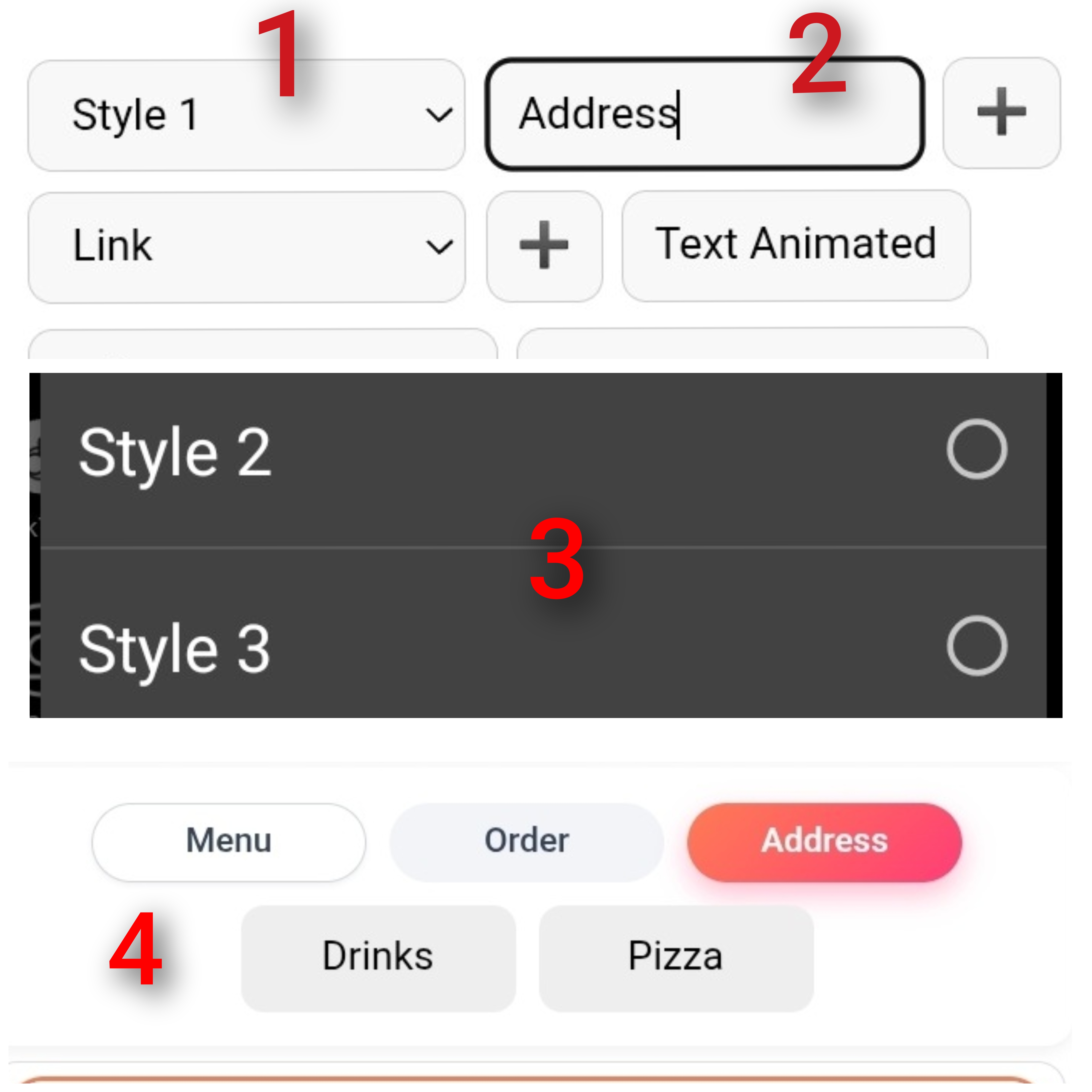
Choose one of the four styles and enter the tag name.
You can create multiple tags and assign a specific number of accordions to each tag.
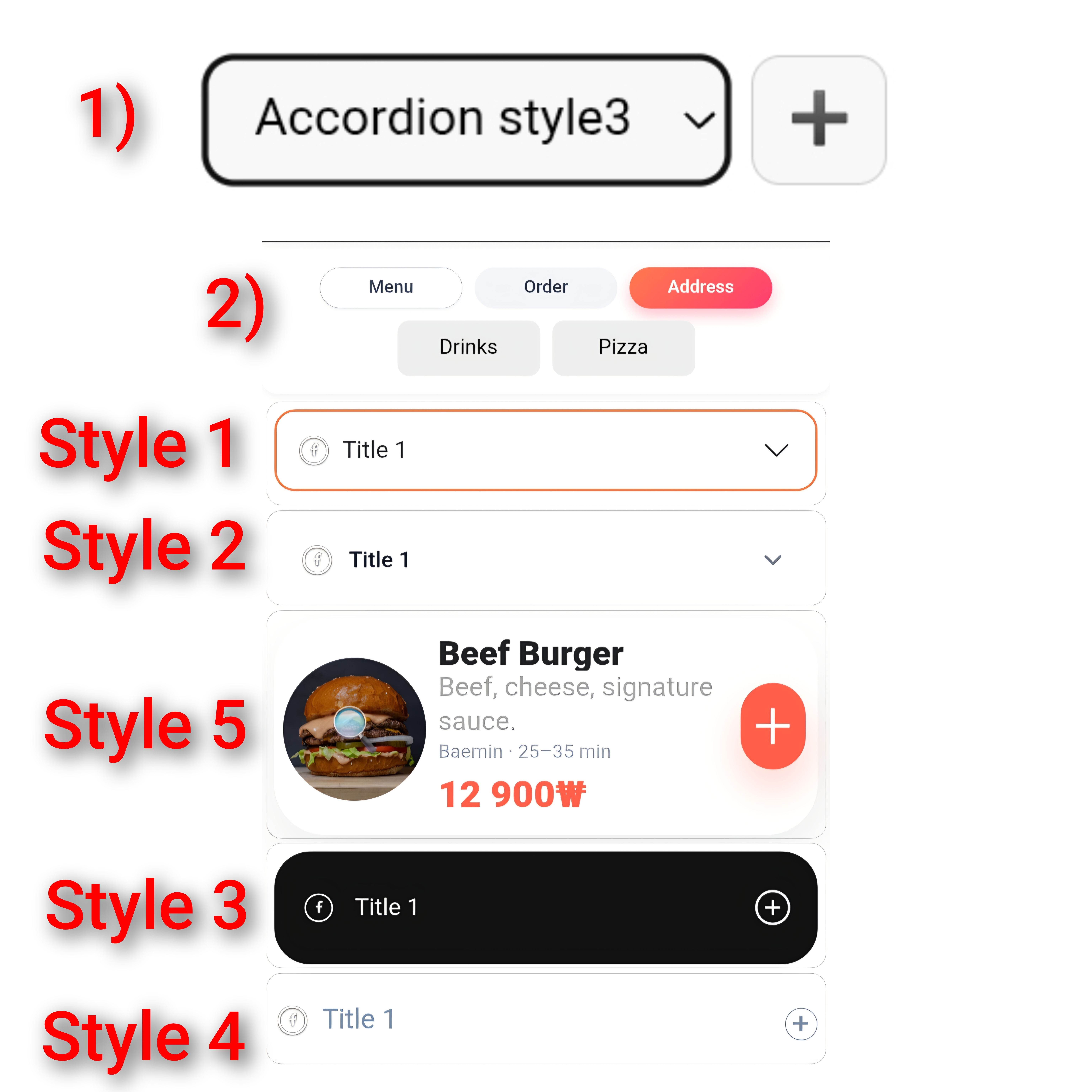
Choose the tag under which you want to place a group of accordions. You can choose from 5 accordion styles.
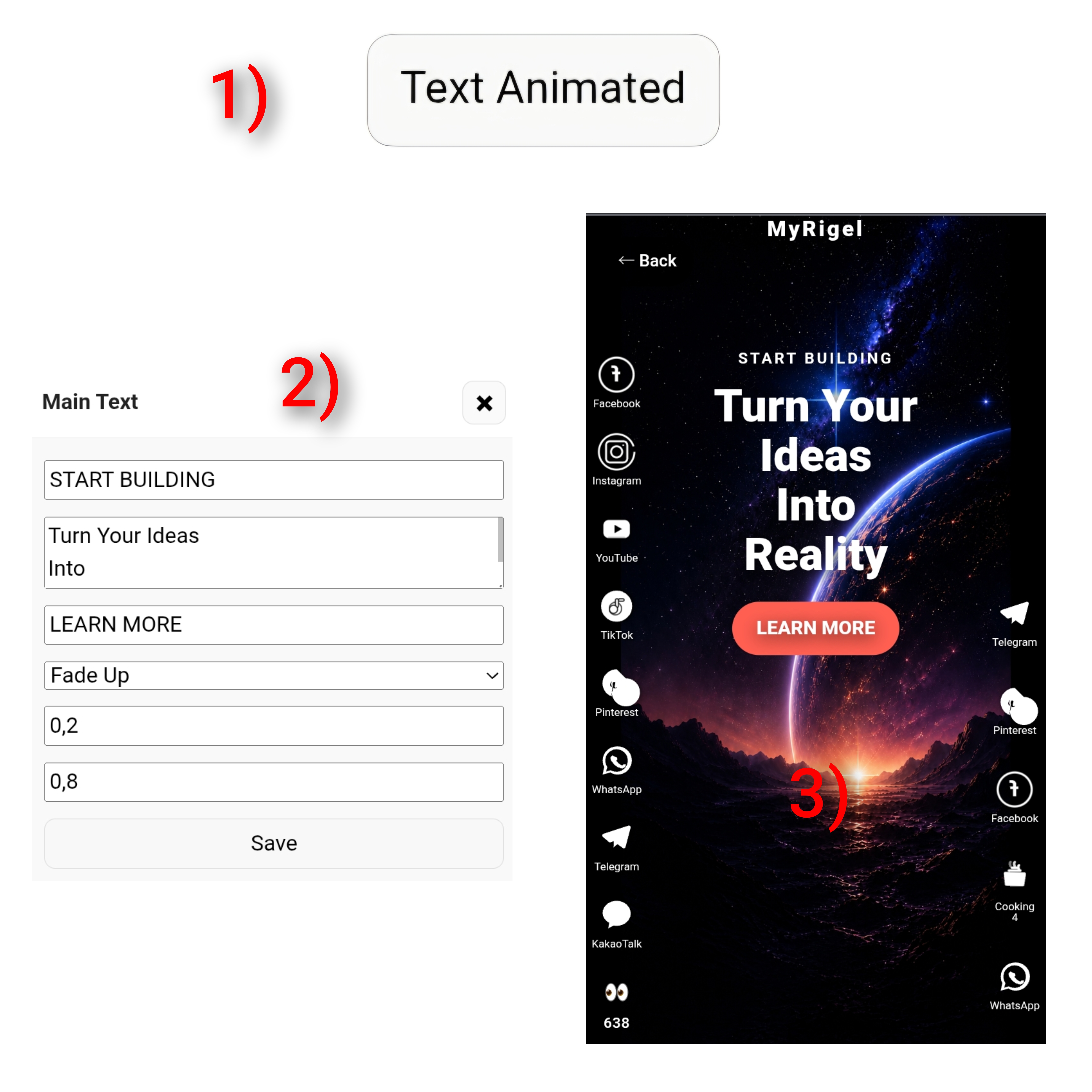
Create your own animated text.
Create your own animated text. The animation will play when visitors open the website you created.
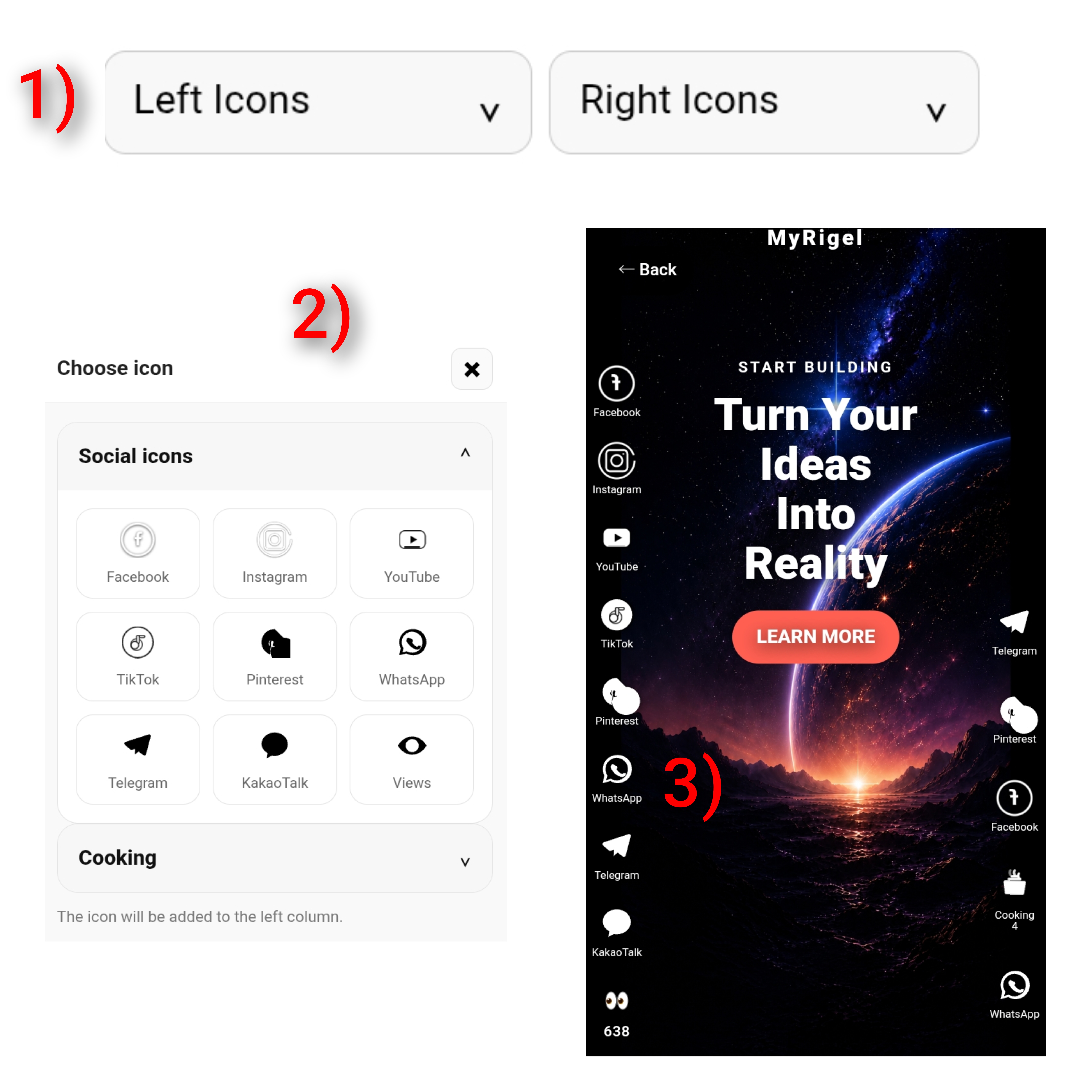
Animated Icons
Add animated icons to the main page of your website. Place them in the left or right column and set a link to where you want visitors to go when they click the icon.
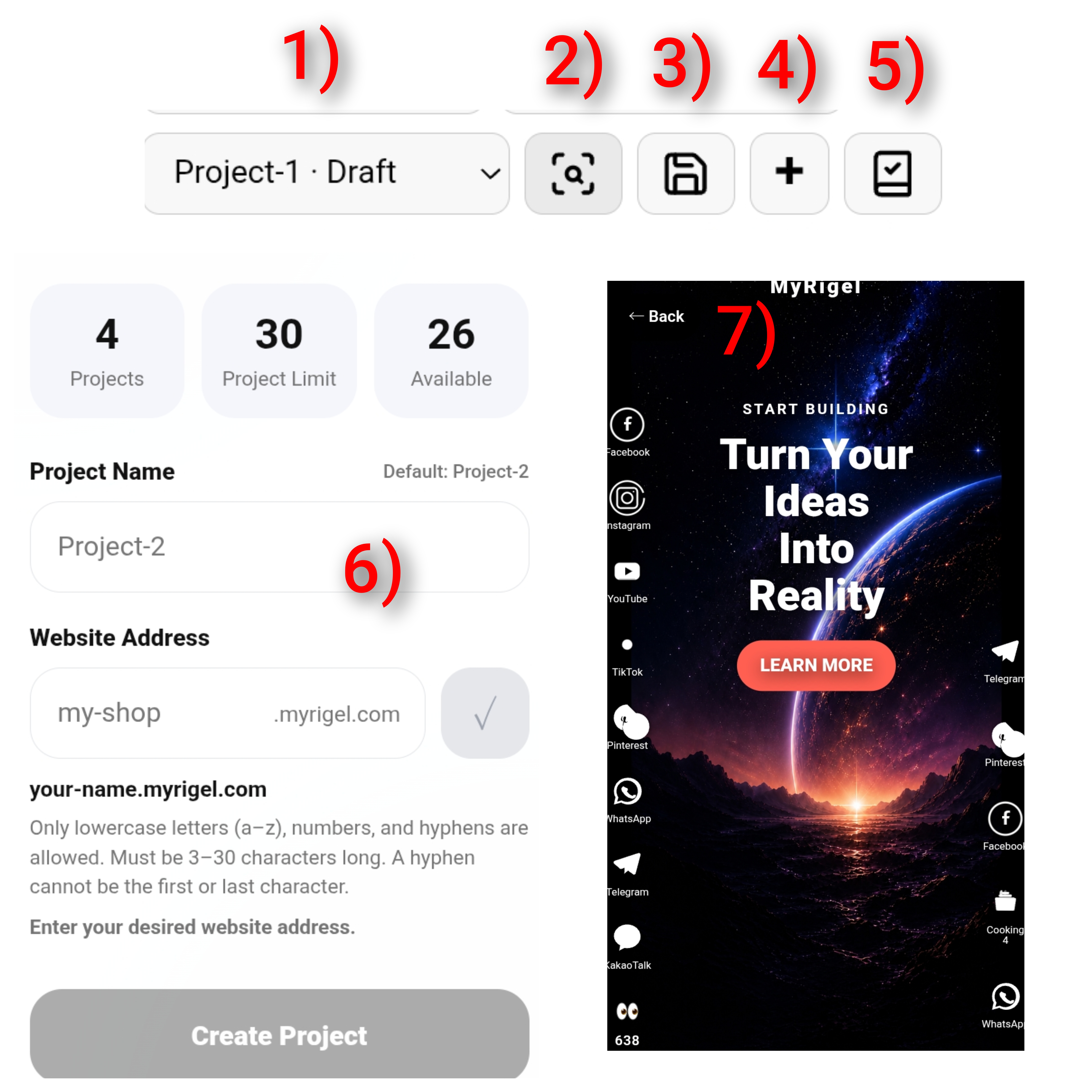
Project Editing
1) Your Projects — View and manage all your projects. 2) Website Preview — Preview how your website will look when published. 3) Save — Click Save after making changes to keep your latest edits. 4) Add New Project — Create a new project, enter a project name, and choose a subdomain. 5) Publish — Publish your website by selecting and paying for the appropriate plan.
YOUR OWN WEB ADDRESS
Create a professional website without coding. Everything is controlled visually, directly from your phone or computer.
 Simple. Fast. No code.
CEO
Simple. Fast. No code.
CEO
Publish your project on your own MyRigel subdomain and share your website with customers instantly.
 BUILT FOR EVERYONE
CEO
BUILT FOR EVERYONE
CEO
Build product and food pages, accept orders, connect payment solutions and integrate delivery services.
 SELL & DELIVER
CEO
SELL & DELIVER
CEO
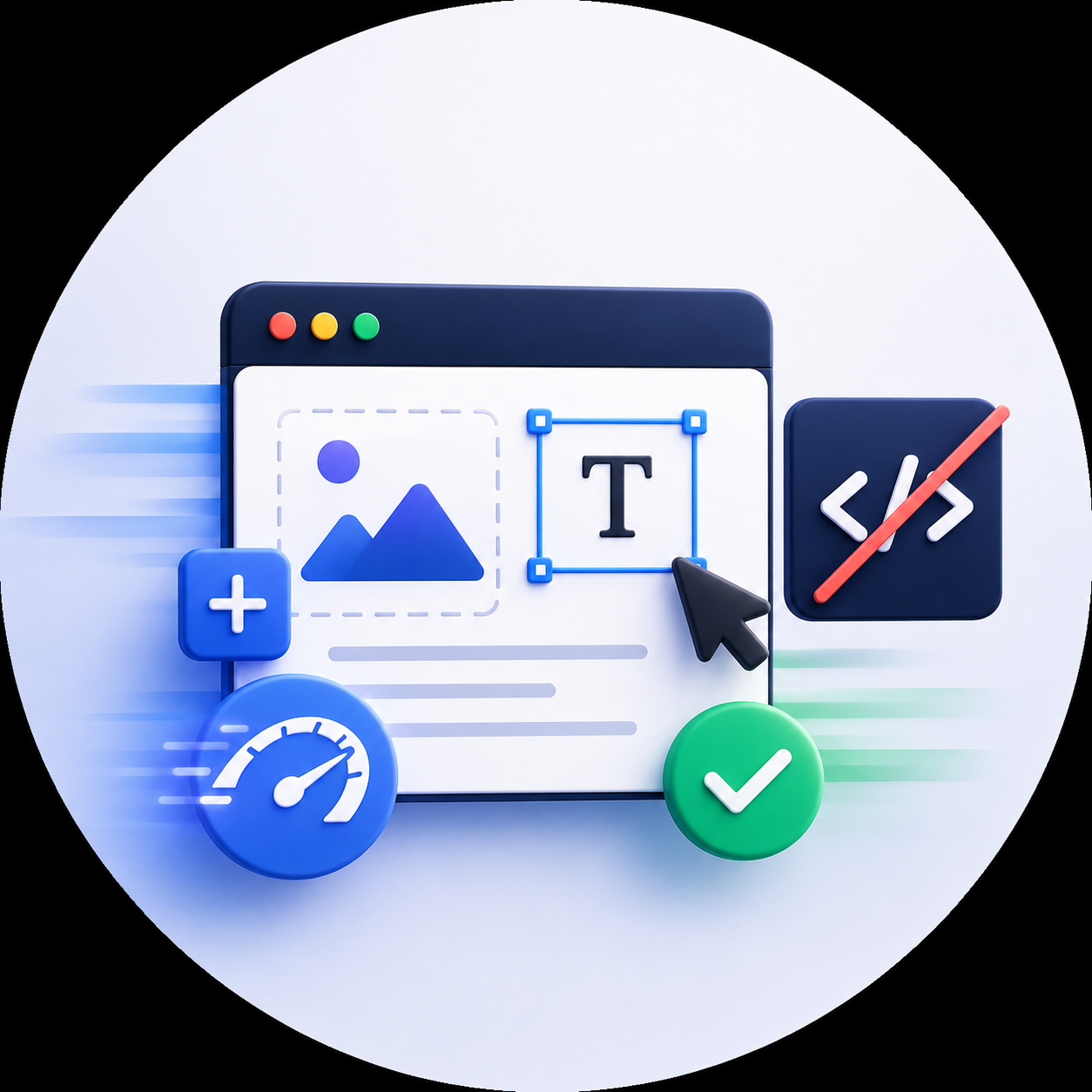
Manage your projects in one place, update content anytime and keep your website online with a simple subscription.
 CREATE. PUBLISH. GROW
CEO
CREATE. PUBLISH. GROW
CEO
Get In Touch
Have a question or an idea? We’d love to hear from you. Whether you need help with MyRigel, have a business proposal, or want to discuss payments, delivery or integration — send us a message. hello@infinity.com.
Where to Find Us
경기도 안성시 대덕면 중앙대학로 113, 204호
우편번호: 17546
사업자등록번호: 828-11-02440
회사명: 깁스터레스
대표자명: KIM ALEKSANDR ILICH